
MVP Database Design: Keep It Simple
MVP database design should be simple, explicit, and easy to change. Here is how founders can avoid overbuilt schemas and ship faster.
Build My App Fast · Oct 12, 2026 · 13 min read
MVP database design should start with the smallest schema that can support your first real workflow, not the database you imagine needing after funding, scale, or a year of feature requests. For most MVPs, that means a handful of clear tables, obvious relationships, strict ownership rules, and enough structure that the product can safely collect real customer data.
The database is where many MVPs quietly get overbuilt. Founders ask for future-proofing. Developers add abstractions. AI tools generate tables for every possible edge case. Two weeks later, nobody can explain why there are five user-related tables, three status fields, and a permissions model that looks like enterprise software.
A good MVP schema is boring on purpose. At Build My App Fast, we usually build on Next.js, React, Supabase, Stripe, Tailwind, Resend, and Vercel. Supabase gives us Postgres, auth, storage, row-level security, and migrations in a setup that is fast enough for MVP work but still production-grade. The goal is not to avoid complexity forever. The goal is to delay complexity until the product has earned it.
MVP database design starts with workflows, not entities

The worst way to design an MVP database is to start by listing every noun in the business:
- Users
- Teams
- Organizations
- Projects
- Tasks
- Roles
- Permissions
- Plans
- Invoices
- Messages
- Notifications
- Files
- Events
- Logs
That list might be accurate eventually, but it is not a schema. It is a vocabulary dump.
Instead, start with the first workflow a customer must complete. For example:
- A user signs up.
- The user creates a project.
- The user adds one or more items to the project.
- The user pays to unlock a feature.
- The app sends a confirmation email.
That workflow tells you what the database must support on day one. It also tells you what can wait.
If your MVP is a client portal, maybe you need profiles, clients, projects, and files. If your MVP is a lightweight SaaS tool, maybe you need profiles, workspaces, items, and subscriptions. If your MVP is a marketplace, you may need more, but you still should begin with the transaction path rather than every marketplace feature.
This is why we like pairing database planning with a written MVP spec. If the spec is fuzzy, the schema becomes fuzzy too. A clear spec prevents the classic problem where the database accidentally becomes a monument to every idea the founder has ever had. If you have not written that down yet, start with an MVP scope document like this guide to an MVP spec.
The simple MVP schema we usually prefer
For many early SaaS-style MVPs, the first schema looks something like this:
| Table | Purpose | Keep it simple by |
|---|---|---|
profiles | App-specific user data linked to auth users | Storing only display name, role, onboarding state, and timestamps |
workspaces or organizations | Shared account, company, or team container | Adding only if multiple users need shared data |
workspace_members | Users inside a workspace | Using simple roles like owner, admin, member |
projects or core object | The main thing the user creates or manages | Avoiding polymorphic designs until needed |
items or child records | Records that belong to the core object | Keeping ownership obvious with foreign keys |
subscriptions | Billing state synced from Stripe | Storing Stripe IDs and status, not full invoice history |
events or audit_logs | Minimal history for important actions | Logging only business-critical events |
This is not a universal schema. It is a pattern. The real point is that each table should have a job that can be explained in one sentence.
A table named data, records, entities, or objects is often a smell unless you are deliberately building a flexible data model. A table named user_project_permission_overrides may be valid later, but probably not in week one.
For an MVP, clarity beats cleverness.
Use Postgres constraints before application cleverness
A simple database does not mean a loose database. You still want the database to protect basic truth.
Use constraints for things that must always be true:
- Required fields should be
not null. - Status values should be constrained or represented with an enum-like pattern.
- Emails that must be unique should have a unique index.
- Child records should reference parent records with foreign keys.
- Deletion behavior should be intentional.
The application should not be the only thing preventing broken data. If a project must belong to a workspace, the database should know that. If a subscription belongs to one workspace, the database should enforce that. If a user should not have duplicate membership rows in the same workspace, add a unique constraint.
The official PostgreSQL constraints documentation is worth understanding at a practical level. You do not need to become a database administrator to build an MVP, but you should know why constraints exist.
One warning: do not turn the schema into a legal contract for every possible business rule. Some rules change often. Those can live in application code until they settle. The database should enforce stable truths, not half-formed product ideas.
Keep user ownership obvious
Most MVP data bugs are ownership bugs.
A user sees someone else’s data. A record is created without a workspace ID. A background process updates the wrong customer’s subscription. An admin page queries all rows and forgets to filter by owner.
The cure is boring consistency.
For a user-owned app, every important table should have a clear path back to the owner. In a team app, records usually belong to a workspace or organization, and users belong to that workspace through a membership table.
For example:
auth.userscontains the authentication user.profiles.user_idmaps app profile data to that auth user.workspaces.idrepresents the shared account.workspace_members.user_idandworkspace_members.workspace_iddefine access.projects.workspace_idshows which workspace owns a project.items.project_idshows which project owns an item.
That chain is easy to reason about. It also works well with Supabase row-level security when the app needs database-level access controls. If you are using Supabase, read the official Supabase row-level security documentation and keep policies simple at first.
We also wrote a founder-friendly explanation of Supabase row level security if you want the non-DBA version.
Do not add multi-tenancy until the product needs it
Multi-tenancy sounds like something every SaaS app should have immediately. Sometimes it should. Often it should not.
If the first version is for one user per account, do not add organizations, invitations, roles, team billing, and permission overrides just because mature SaaS products have them. Those features affect every table, every query, and every screen.
A practical rule:
- If customers are individuals, start with user-owned records.
- If customers are companies with multiple seats, start with workspace-owned records.
- If enterprise permissions are part of the core value proposition, design roles carefully from day one.
The mistake is mixing all three without a reason. You end up with user_id, workspace_id, organization_id, and account_id scattered across tables with no clear authority.
If you really are building a team-based SaaS, use a simple tenant model from the beginning. Our guide to multi-tenant SaaS basics covers the foundation without jumping straight to enterprise complexity.
Store billing state, not the whole payment universe
Stripe is a common place where MVP databases get messy.
A launchable app usually needs to know:
- Which customer is linked to this user or workspace?
- Which subscription is active?
- What plan or price is attached?
- Is access allowed right now?
- When does the current period end?
You generally do not need to mirror every Stripe object into your database. Stripe remains the source of truth for detailed invoices, payment methods, disputes, tax behavior, and historical payment data. Your app stores the pieces it needs to control access and show the user their current state.
A minimal subscriptions table might include:
idworkspace_idoruser_idstripe_customer_idstripe_subscription_idstripe_price_idstatuscurrent_period_endcreated_atupdated_at
Then Stripe webhooks update this table when subscription events happen. If billing is part of your MVP, the schema and webhook flow should be planned together. This is one reason our $10,000 “Launchable MVP” tier exists: subscriptions, integrations, and AI features usually require more careful production wiring than a basic CRUD app.
For implementation detail, see our Stripe webhooks guide.
Avoid premature abstraction
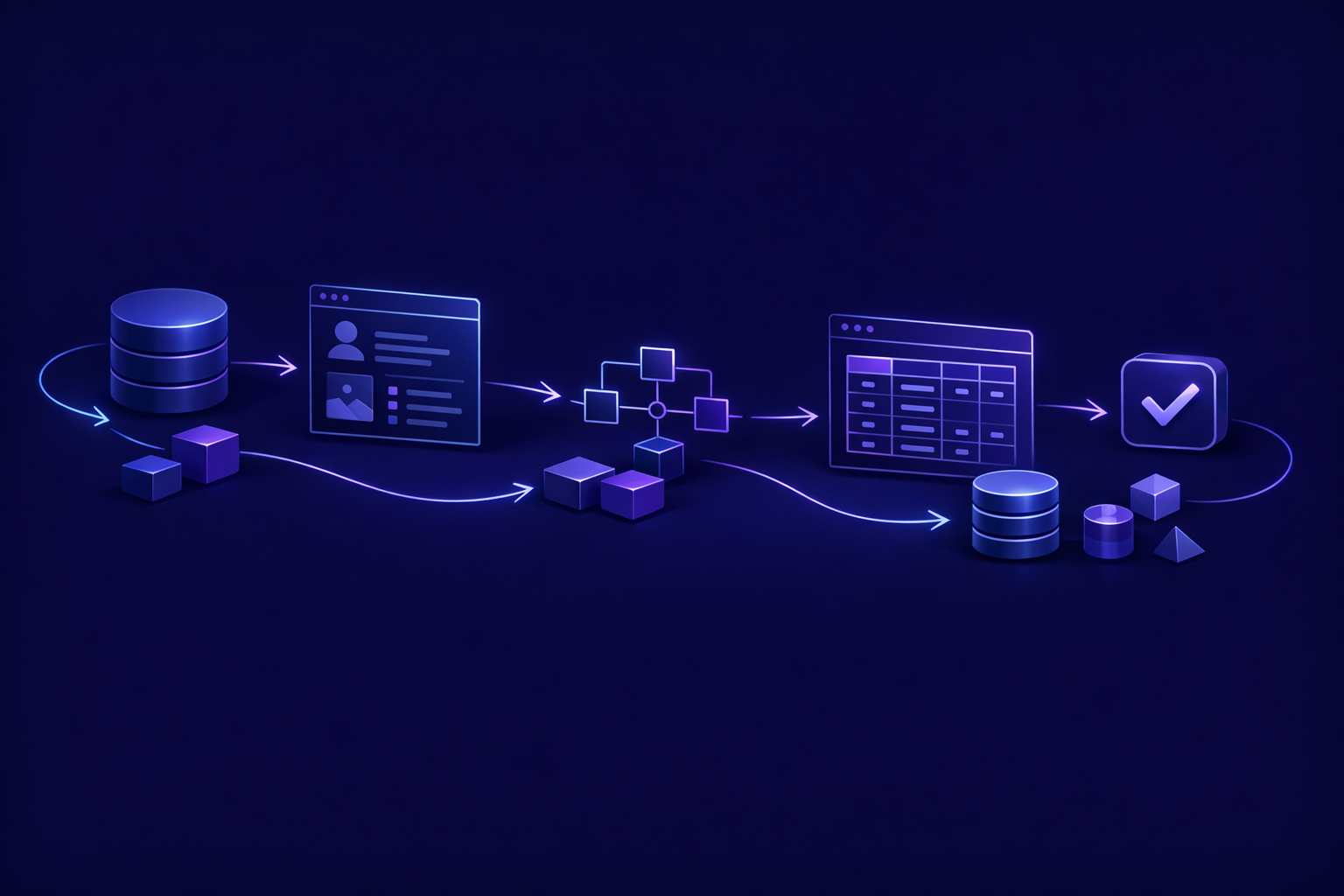
Premature abstraction is when you design for theoretical flexibility before you know the real use case.
In database design, it often looks like this:
- One
entitiestable for everything. - One
fieldstable to define dynamic properties. - One
valuestable to store all values as text. - One generic
relationshipstable between all records. - A rules engine before there are rules.
This can be valid for certain products, especially form builders, internal tool builders, or configurable workflow platforms. But for a normal MVP, it makes simple work harder.
A founder may say, “We want it flexible.” What they usually mean is, “We do not know the exact feature set yet.” Those are different problems.
A concrete schema is easier to build, easier to test, easier to secure, and easier to change when the product is still small. If your MVP manages bookings, create a bookings table. If it manages lessons, create a lessons table. Do not hide the business inside generic abstractions unless flexibility is the product.
Plan for change with migrations, not guesswork
Keeping the database simple does not mean painting yourself into a corner. The right way to plan for change is to use migrations, clear naming, and sensible relationships.
In our projects, the codebase should include the schema history so another engineer can see how the database evolved. That matters because the client owns the full code when the project is done. A production-ready MVP is not just screens; it is a maintainable app that can be extended after launch.
Good migration discipline includes:
- Naming migrations clearly.
- Avoiding manual dashboard-only changes that are not captured in code.
- Adding columns before depending on them in production code.
- Backfilling carefully when needed.
- Removing old fields only after the app no longer uses them.
This is how you build small without making a rebuild inevitable. We covered that broader idea in Scalable MVP: Build Small Without Rebuilding Later.
What we include at different MVP sizes
Database design should match the scope and budget. A proof of concept does not need the same persistence model as a launchable subscription product.
At Build My App Fast, our tiers are deliberately clear:
| Tier | Timeline | Typical database scope |
|---|---|---|
| $1,000 “Proof of concept” | 2–4 days | Minimal schema, often just the core records needed to prove the workflow |
| $5,000 “Real app” | 4–6 days | Full app with logins and a database, usually profiles plus the main business tables |
| $10,000 “Launchable MVP” | 7–10 days | Advanced MVP with subscriptions, integrations, or AI features, including more careful data modeling |
The point is not to cram enterprise architecture into every tier. The point is to make the data model appropriate for the job.
A $1,000 proof of concept might only need enough persistence to demo the customer flow. A $5,000 real app should have proper authentication, database-backed records, and ownership rules. A $10,000 launchable MVP may need billing state, webhook handling, integration logs, file metadata, or AI request tracking.
Simple does not mean careless. It means the complexity is justified by the product you are actually shipping.
A practical MVP database design checklist
Use this before you build or approve a schema:
- Can every table’s purpose be explained in one sentence?
- Does each important record have a clear owner?
- Are foreign keys used for core relationships?
- Are required fields marked as required?
- Are unique values enforced at the database level?
- Are status fields limited to known values?
- Is billing state minimal and tied to Stripe IDs where needed?
- Are team/workspace concepts included only if the MVP needs them?
- Are permissions simple enough to test manually?
- Are migrations captured in the codebase?
- Can another engineer understand the schema without a meeting?
- Is there any table that exists only because of a hypothetical future feature?
If the last answer is yes, consider deleting that table until the product proves it needs it.
Common schema mistakes in MVPs
The mistakes are usually not exotic. They are small decisions that compound.
Using auth users as the only user table. Authentication data and app profile data are not the same thing. It is usually cleaner to keep app-specific fields in a profiles table linked to the auth user.
Skipping ownership fields. If records do not clearly belong to a user or workspace, access control becomes guesswork.
Adding roles too early. owner, admin, and member are often enough. Custom permissions can wait unless they are part of the core product.
Storing calculated values as permanent truth. Some values should be calculated when needed. Others should be stored for performance or audit reasons. Decide intentionally.
Designing around admin dashboards first. Admin tools are useful, but the customer workflow should drive the schema.
Letting AI generate the schema unchecked. AI tools can produce plausible SQL, but they do not understand your product’s business rules unless you provide them. Review every table, relationship, and policy before trusting generated code.
This is one reason we position ourselves as the production-ready alternative to “vibe coding.” AI can accelerate parts of development, but database design still needs engineering judgment.
FAQ
Should my MVP use SQL or NoSQL?
For most SaaS MVPs, SQL is the safer default because relationships, ownership, constraints, and reporting matter early. Postgres through Supabase is a practical choice for many products. NoSQL can be right for certain workloads, but it is not automatically simpler.
How many tables should an MVP database have?
There is no magic number. A small proof of concept might have three or four tables. A real SaaS MVP with auth, teams, billing, and core business records may have more. The better test is whether every table supports a current workflow.
Should I design for scale from day one?
Design for change, not imaginary scale. Use clear relationships, constraints, migrations, and ownership rules. Avoid building enterprise permissions, sharding strategies, or generic data engines before you have users.
Can I change the database after launch?
Yes, if the initial schema is understandable and migrations are handled carefully. Early products should expect schema changes. The danger is not change; the danger is starting with a confusing schema nobody wants to touch.
Keep the database boring so the product can move
A good MVP database is simple, explicit, and slightly conservative. It stores what the first product needs. It protects obvious truths. It makes ownership clear. It avoids pretending the product has already reached enterprise complexity.
That is how you ship faster without creating a rebuild trap.
If you want a fixed-price MVP built with a simple, production-ready database design, apply here.